PLAYS-GAMESCOM
Sign in
PLAYS-GAMESCOM
Sign in
Player 1
Move: A and D
Jump: W
Aim and Shoot: Hold W and release
Attack: S
Use Gift: G
Player 2
Move: Left and Right Arrow Keys
Jump: Up Arrow
Aim and Shoot: Hold Up Arrow and release
Attack: Down Arrow
Use Gift: L
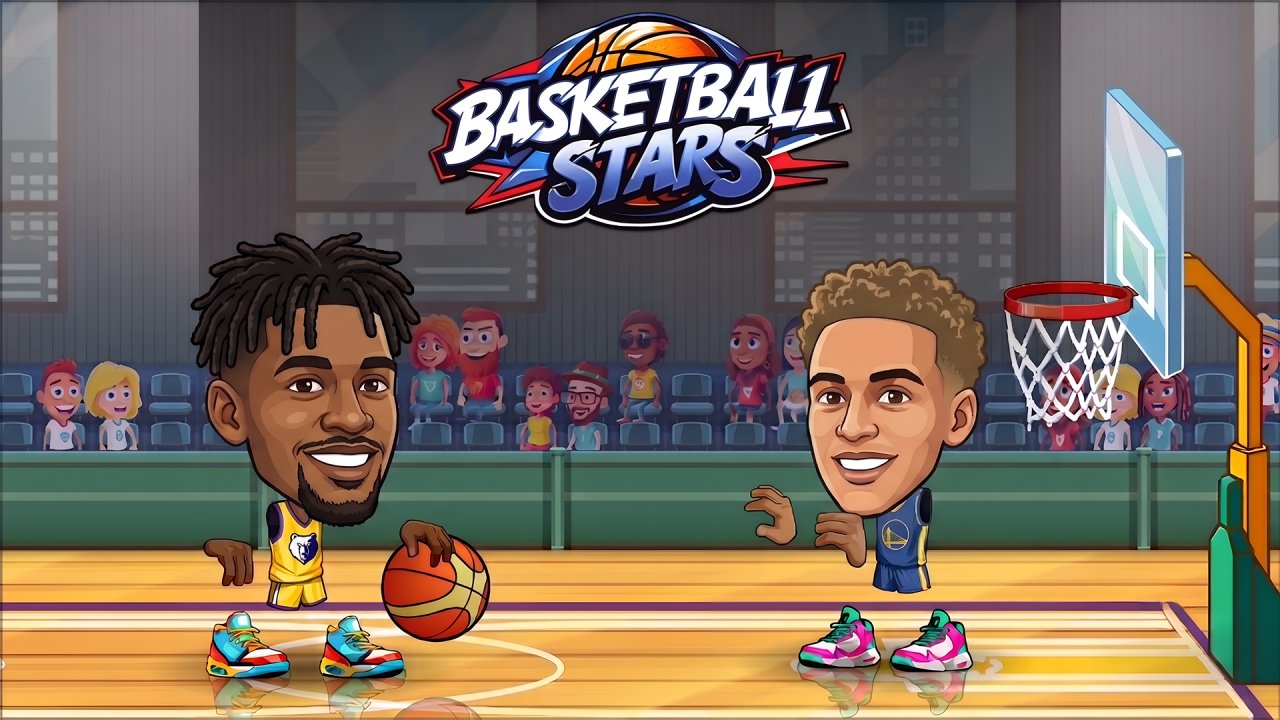
Basket Sport Stars brings fast, playful basketball matches to colorful courts filled with unpredictable moments. Choose a character, challenge a computer-controlled rival, or share the keyboard with a friend in local 2-player mode. Move into position, time your jump, aim carefully, and score as many baskets as possible before the final buzzer.
Every match is short enough to start quickly but competitive enough to demand focus. A well-timed shot can put you ahead, while a successful attack may force your opponent to lose possession. With different characters, changing arenas, several game modes, and useful power-ups, no two matches feel exactly the same.
Choose Your Game Mode
Quick Match sends you straight into a 90-second basketball battle. The player with the most points when time runs out wins. It is the best mode for learning the basics or enjoying a fast match without a longer commitment.
Tournament Mode places you into a competitive bracket against several opponents. Win each round, adapt to different characters and courts, and continue advancing until you reach the final match.
Practice Mode gives you room to learn movement, shooting, and attack timing. Use it to test jump shots, understand the aiming guide, and become more comfortable with the controls before entering harder matches.
2 Player Mode lets two players compete locally on the same keyboard. Challenge a friend, fight for possession, and find out who can score more baskets before the buzzer.
Master the Shooting System
Jump to reach the ball, then hold the shooting control to aim toward the opposing basket. A dotted trajectory line shows where the ball is expected to travel. Watch the line closely and release at the right moment for a more accurate attempt.
The aiming indicator briefly turns green when the shot has a strong chance of reaching the hoop. This window does not stay open for long, so successful shooting depends on quick reactions and controlled timing rather than pressing the button as fast as possible.
Attack and Take Possession
Basketball is not only about shooting. When your opponent controls the ball, move close and use the attack button to weaken their grip. After enough successful hits, the rival drops the ball and gives you a chance to take possession.
Attacking without a plan can leave your basket unprotected. Try to pressure the opponent when they are preparing a shot or moving into a dangerous position, then return quickly before they recover.
Collect and Use Gift Boxes
A flying gift box may appear during a match. Jump to collect it and save the reward for the right opportunity. Activating the gift launches a rocket across the court that can stun the opposing player and interrupt their attack.
The rocket can also become a threat when your rival uses one. Watch its direction and jump over it to avoid being stunned. A well-timed gift can change the score, especially during the final seconds of a close match.
Key Features
- Fast arcade-style basketball matches
- Single-player and local 2-player gameplay
- Quick Match, Tournament, Practice, and 2 Player modes
- Competitive 90-second rounds
- Different characters and colorful basketball courts
- Timing-based aiming and shooting system
- Attacks that can force opponents to drop the ball
- Gift boxes with special rocket power-ups
- Simple keyboard controls for both players
- Short matches designed for repeated play
Tips for Beginners
- Start in Practice Mode to learn how long to hold the shooting button.
- Release the ball when the aiming guide gives you a clear trajectory.
- Stay between your opponent and the basket when defending.
- Do not attack constantly; wait until you are close enough to connect.
- Collect gift boxes whenever the court is safe.
- Keep watching the timer during close matches.
Advanced Tips
- Use short jumps to control possession instead of always attempting a shot.
- Attack just before the opponent releases the ball to disrupt their timing.
- Save a rocket gift for a dangerous attack or the final seconds of the match.
- Change your shooting position so the opponent cannot predict every attempt.
- After stealing the ball, create space before aiming at the basket.
- In tournaments, adjust your strategy to each opponent instead of repeating the same moves.
Common Mistakes
- Releasing every shot before the aiming line is properly aligned.
- Standing too close to the opponent while trying to aim.
- Ignoring defense after taking an early lead.
- Using gift rewards immediately without checking the rival's position.
- Chasing the ball and leaving the basket completely open.
- Forgetting that the match can be decided in the final few seconds.
Become the Court Star
Basket Sport Stars combines accessible controls with quick competitive matches, accurate shooting, defensive attacks, and unexpected power-ups. Practice your timing, choose the right moment to challenge your opponent, and work your way through the tournament. Whether you compete against the CPU or face a friend on the same keyboard, every match offers another chance to become the star of the court.
Sign in to join the conversation.
Basket Sport Stars brings fast, playful basketball matches to colorful courts filled with unpredictable moments. Choose a character, challenge a computer-controlled rival, or share the keyboard with a friend in local 2-player mode. Move into position, time your jump, aim carefully, and score as many baskets as possible before the final buzzer.
Every match is short enough to start quickly but competitive enough to demand focus. A well-timed shot can put you ahead, while a successful attack may force your opponent to lose possession. With different characters, changing arenas, several game modes, and useful power-ups, no two matches feel exactly the same.
Choose Your Game Mode
Quick Match sends you straight into a 90-second basketball battle. The player with the most points when time runs out wins. It is the best mode for learning the basics or enjoying a fast match without a longer commitment.
Tournament Mode places you into a competitive bracket against several opponents. Win each round, adapt to different characters and courts, and continue advancing until you reach the final match.
Practice Mode gives you room to learn movement, shooting, and attack timing. Use it to test jump shots, understand the aiming guide, and become more comfortable with the controls before entering harder matches.
2 Player Mode lets two players compete locally on the same keyboard. Challenge a friend, fight for possession, and find out who can score more baskets before the buzzer.
Master the Shooting System
Jump to reach the ball, then hold the shooting control to aim toward the opposing basket. A dotted trajectory line shows where the ball is expected to travel. Watch the line closely and release at the right moment for a more accurate attempt.
The aiming indicator briefly turns green when the shot has a strong chance of reaching the hoop. This window does not stay open for long, so successful shooting depends on quick reactions and controlled timing rather than pressing the button as fast as possible.
Attack and Take Possession
Basketball is not only about shooting. When your opponent controls the ball, move close and use the attack button to weaken their grip. After enough successful hits, the rival drops the ball and gives you a chance to take possession.
Attacking without a plan can leave your basket unprotected. Try to pressure the opponent when they are preparing a shot or moving into a dangerous position, then return quickly before they recover.
Collect and Use Gift Boxes
A flying gift box may appear during a match. Jump to collect it and save the reward for the right opportunity. Activating the gift launches a rocket across the court that can stun the opposing player and interrupt their attack.
The rocket can also become a threat when your rival uses one. Watch its direction and jump over it to avoid being stunned. A well-timed gift can change the score, especially during the final seconds of a close match.
Key Features
- Fast arcade-style basketball matches
- Single-player and local 2-player gameplay
- Quick Match, Tournament, Practice, and 2 Player modes
- Competitive 90-second rounds
- Different characters and colorful basketball courts
- Timing-based aiming and shooting system
- Attacks that can force opponents to drop the ball
- Gift boxes with special rocket power-ups
- Simple keyboard controls for both players
- Short matches designed for repeated play
Tips for Beginners
- Start in Practice Mode to learn how long to hold the shooting button.
- Release the ball when the aiming guide gives you a clear trajectory.
- Stay between your opponent and the basket when defending.
- Do not attack constantly; wait until you are close enough to connect.
- Collect gift boxes whenever the court is safe.
- Keep watching the timer during close matches.
Advanced Tips
- Use short jumps to control possession instead of always attempting a shot.
- Attack just before the opponent releases the ball to disrupt their timing.
- Save a rocket gift for a dangerous attack or the final seconds of the match.
- Change your shooting position so the opponent cannot predict every attempt.
- After stealing the ball, create space before aiming at the basket.
- In tournaments, adjust your strategy to each opponent instead of repeating the same moves.
Common Mistakes
- Releasing every shot before the aiming line is properly aligned.
- Standing too close to the opponent while trying to aim.
- Ignoring defense after taking an early lead.
- Using gift rewards immediately without checking the rival's position.
- Chasing the ball and leaving the basket completely open.
- Forgetting that the match can be decided in the final few seconds.
Become the Court Star
Basket Sport Stars combines accessible controls with quick competitive matches, accurate shooting, defensive attacks, and unexpected power-ups. Practice your timing, choose the right moment to challenge your opponent, and work your way through the tournament. Whether you compete against the CPU or face a friend on the same keyboard, every match offers another chance to become the star of the court.
Player 1
Move: A and D
Jump: W
Aim and Shoot: Hold W and release
Attack: S
Use Gift: G
Player 2
Move: Left and Right Arrow Keys
Jump: Up Arrow
Aim and Shoot: Hold Up Arrow and release
Attack: Down Arrow
Use Gift: L